| Обновлено 2020-05-02 16:51:33 |
|
Контрольно-измерительный инструмент и оборудование / Measuring instruments MAHR | Каталог MAHR 2007 Линейно-угловые средства измерений (Всего 529 стр.) |
|||||
454 Каталог MAHR 2007 Линейно-угловые средства измерений Измерительный инструмент Стр.17-10 |
|||||
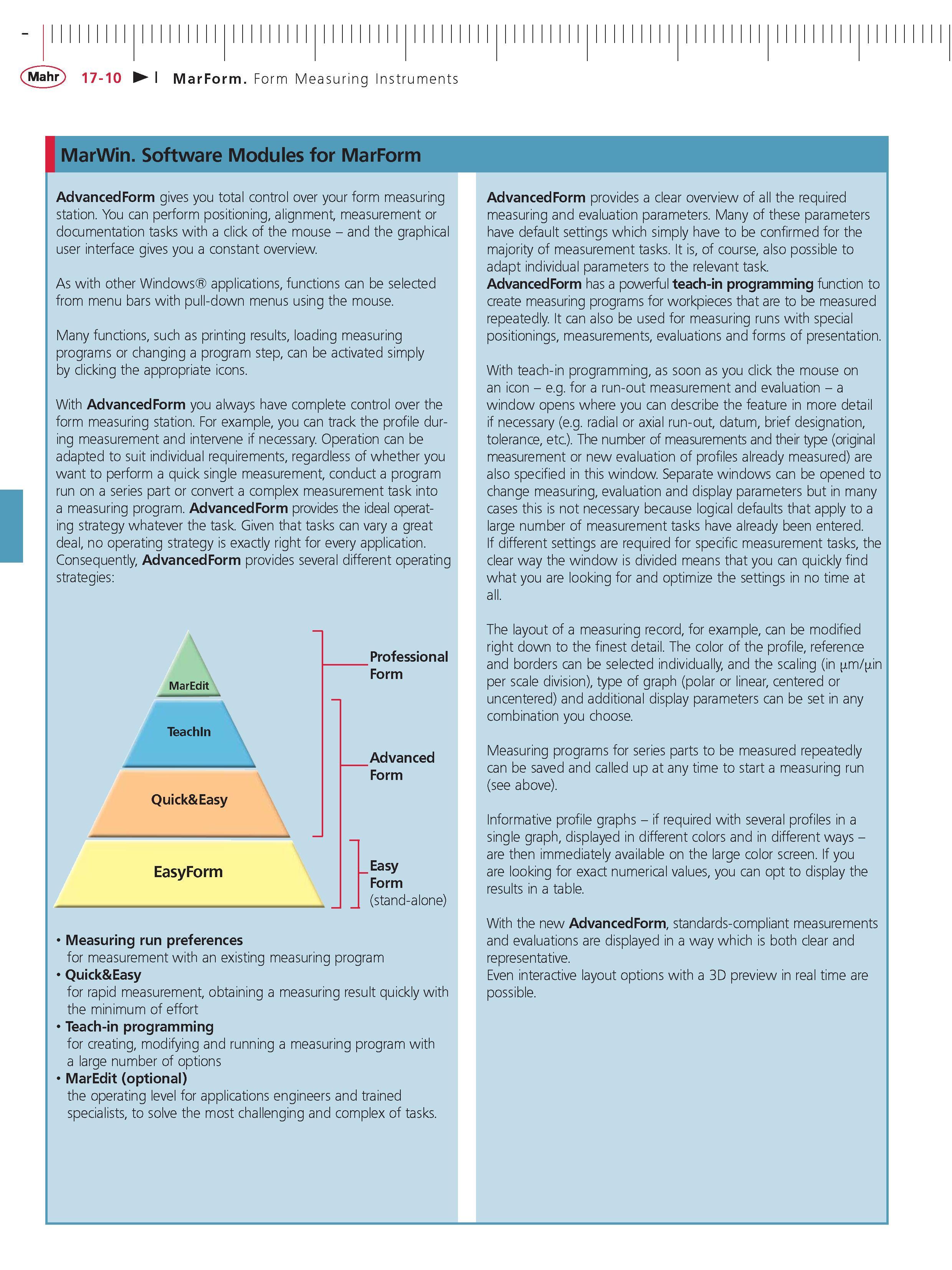
Каталог MAHR 2007 Линейно-угловые средства измерений Стр. 17-10 0454 ENG Lab2u MarWin. Software Modules for MarForm AdvancedForm gives you total control over your form measuring station. You can perform positioning alignment measurement or documentation tasks with a click of the mouse - and the graphical user interface gives you a constant overview. As with other Windows applications functions can be selected from menu bars with pull-down menus using the mouse. Many functions such as printing results loading measuring programs or changing a program step can be activated simply by clicking the appropriate icons. With AdvancedForm you always have complete control over the form measuring station. For example you can track the profile during measurement and intervene if necessary. Operation can be adapted to suit individual requirements regardless of whether you want to perform a quick single measurement conduct a program run on a series part or convert a complex measurement task into a measuring program. AdvancedForm provides the ideal operating strategy whatever the task. Given that tasks can vary a great deal no operating strategy is exactly right for every application. Consequently AdvancedForm provides several different operating strategies AdvancedForm provides a clear overview of all the required measuring and evaluation parameters. Many of these parameters have default settings which simply have to be confirmed for the majority of measurement tasks. It is of course also possible to adapt individual parameters to the relevant task. AdvancedForm has a powerful teach-in programming function to create measuring programs for workpieces that are to be measured repeatedly. It can also be used for measuring runs with special positionings measurements evaluations and forms of presentation. With teach-in programming as soon as you click the mouse on an icon - e.g. for a run-out measurement and evaluation - a window opens where you can describe the feature in more detail if necessary (e.g. radial or axial run-out datum brief designation tolerance etc.). The number of measurements and their type (original measurement or new evaluation of profiles already measured) are also specified in this window. Separate windows can be opened to change measuring evaluation and display parameters but in many cases this is not necessary because logical defaults that apply to a large number of measurement tasks have already been entered. If different settings are required for specific measurement tasks the clear way the window is divided means that you can quickly find what you are looking for and optimize the settings in no time at all. MarEdit TeachIn Quick&Easy EasyForm Professional Form Advanced Form Easy Form (stand-alone) Measuring run preferences for measurement with an existing measuring program Quick&Easy for rapid measurement obtaining a measuring result quickly with the minimum of effort Teach-in programming for creating modifying and running a measuring program with a large number of options MarEdit (optional) the operating level for applications engineers and trained specialists to solve the most challenging and complex of tasks. The layout of a measuring record for example can be modified right down to the finest detail. The color of the profile reference and borders can be selected individually and the scaling (in m in per scale division) type of graph (polar or linear centered or uncentered) and additional display parameters can be set in any combination you choose. Measuring programs for series parts to be measured repeatedly can be saved and called up at any time to start a measuring run (see above). Informative profile graphs - if required with several profiles in a single graph displayed in different colors and in different ways -are then immediately available on the large color screen. If you are looking for exact numerical values you can opt to display the results in a table. With the new AdvancedForm standards-compliant measurements and evaluations are displayed in a way which is both clear and representative. Even interactive layout options with a 3D preview in real time are possible. |
|||||
См.также / See also : |
|||||
Отклонения размеров / Fit tolerance table |
Соотношение твердостей Таблица / Hardness equivalent table |
||||
Типы резьб / Thread types and applications |
Аналоги сталей / Workpiece material conversion table |
||||
Отверстия под резьбу / Tap drill sizes |
Обороты в скорость / Surface speed to RPM conversion |
||||
Перевод дюймов в мм / Inches to mm Conversion table |
Перевод единиц в систему СИ / SI unit conversion table |
||||
| |
|||||
| MAHR | |||||
| |
|||||
 Каталог MAHR 2016 Измерительный инструмент и техника (508 страниц) |
|||||
 Каталог MAHR 2015 Инструмент Приборы Оборудование (нем.яз.) (560 страниц) |
 Каталог MAHR 2014 Измерительные инструменты и приборы (англ.яз.) (603 страницы) |
 Каталог MAHR 2013 Измерительный инструмент и оборудование (462 страницы) |
 Каталог MAHR 2012 Средства измерений (466 страниц) |
 Каталог MAHR 2011 Измерительный инструмент и приборы (фр.яз.) (480 страниц) |
 Каталог MAHR 2009 Инструмент и приборы (450 страниц) |
Каталог MAHR 2007 Линейно-угловые средства измерений (англ.яз.) (529 страниц) |
 Каталог MAHR 2006 Измерительная техника и инструмент (396 страниц) |
||||
| |
|||||
|
Каталоги измерительного инструмента и оборудования / Measuring instruments and equipment catalogs |
|||||
| Каталог MAHR 2007 Линейно-угловые средства измерений (Всего 529 стр.) | |||||
| |
|||||
 451 451 |  452 452 |  453 453 |  455 455 |  456 456 |  457 457 |
|
Lab2U | Catalogs | Tap drill sizes | Speed to RPM | Material table Разработчики сайта / Developers of site |
|
Поиск на сайте Lab2u.ru с помощью поисковых систем ЯНДЕКС, BING, GOOGLE:
|
||
|
|
||
